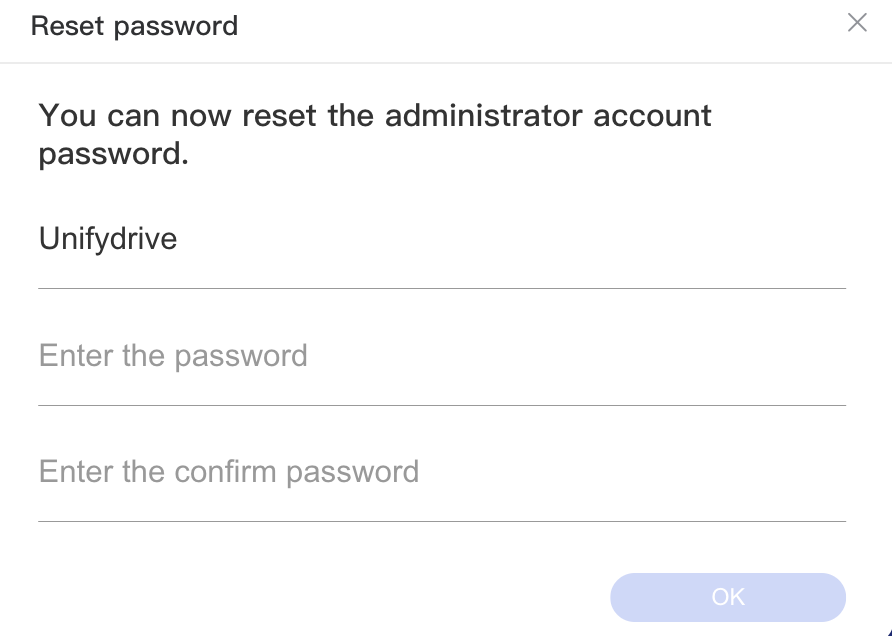
When you forgot the passwrod for admin account, you can always reset the password. Resetting password will not erase your files/ documents stored on UnifyDrive device.
How to reset the admin password
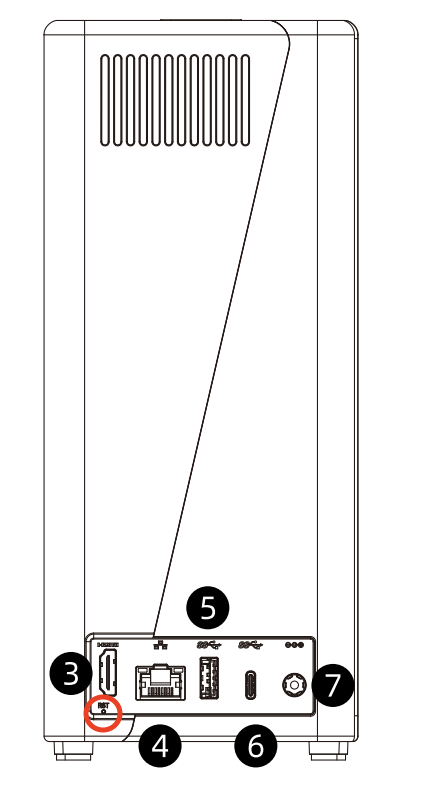
- 1. Long press on reset hole for needed seconds as indicated through followed picture( Please refer to instruction manual of your specific device);
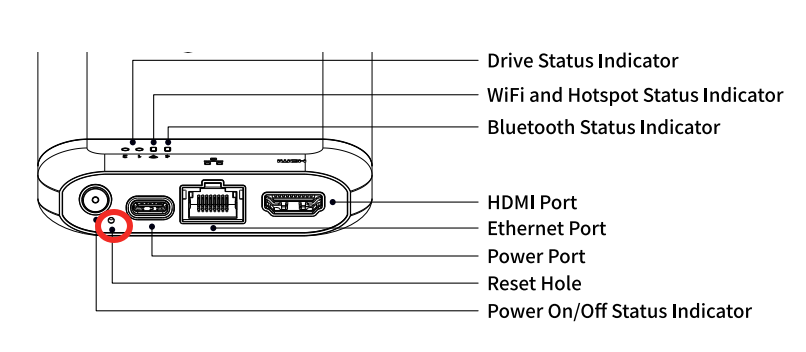
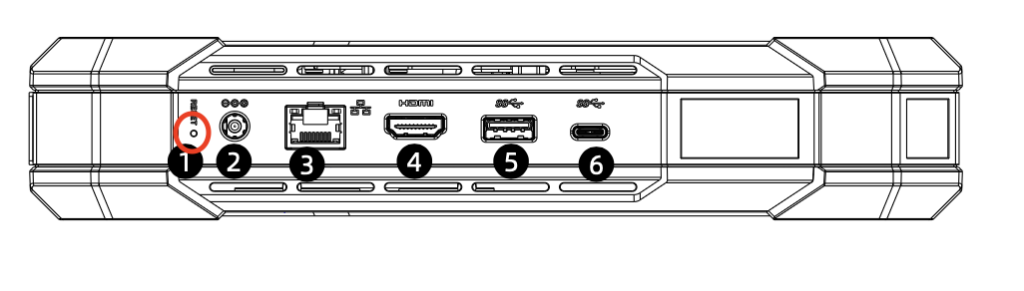
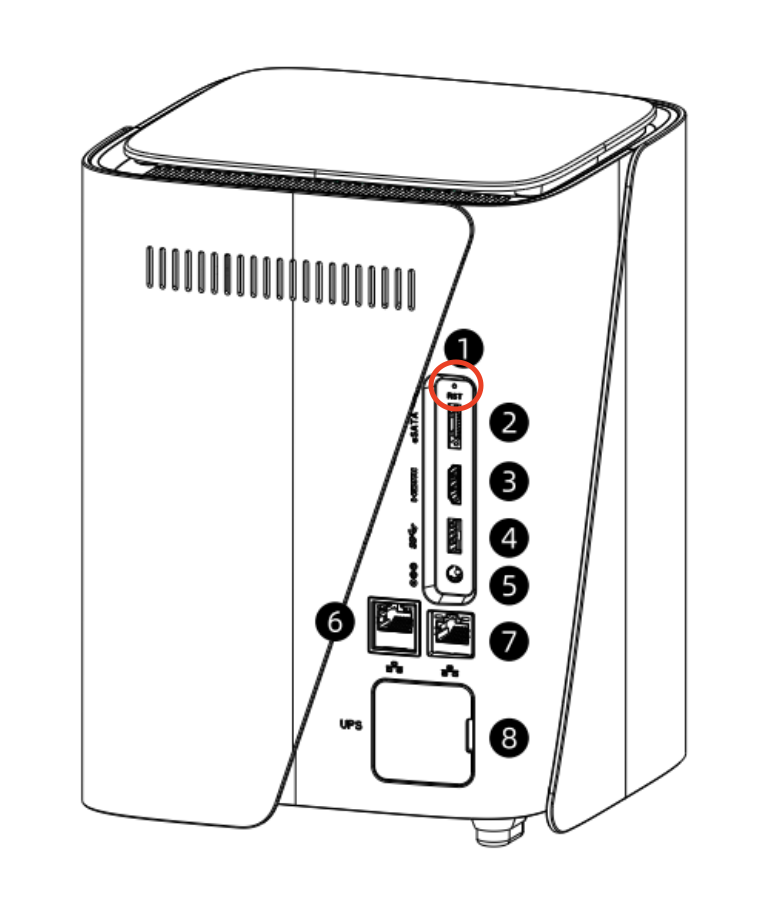
- 2. If you had previously login to Unifydrive app or desktop client, you should see the screen shot at step 3, You could also select “Forgot password” on the login page after email verification.
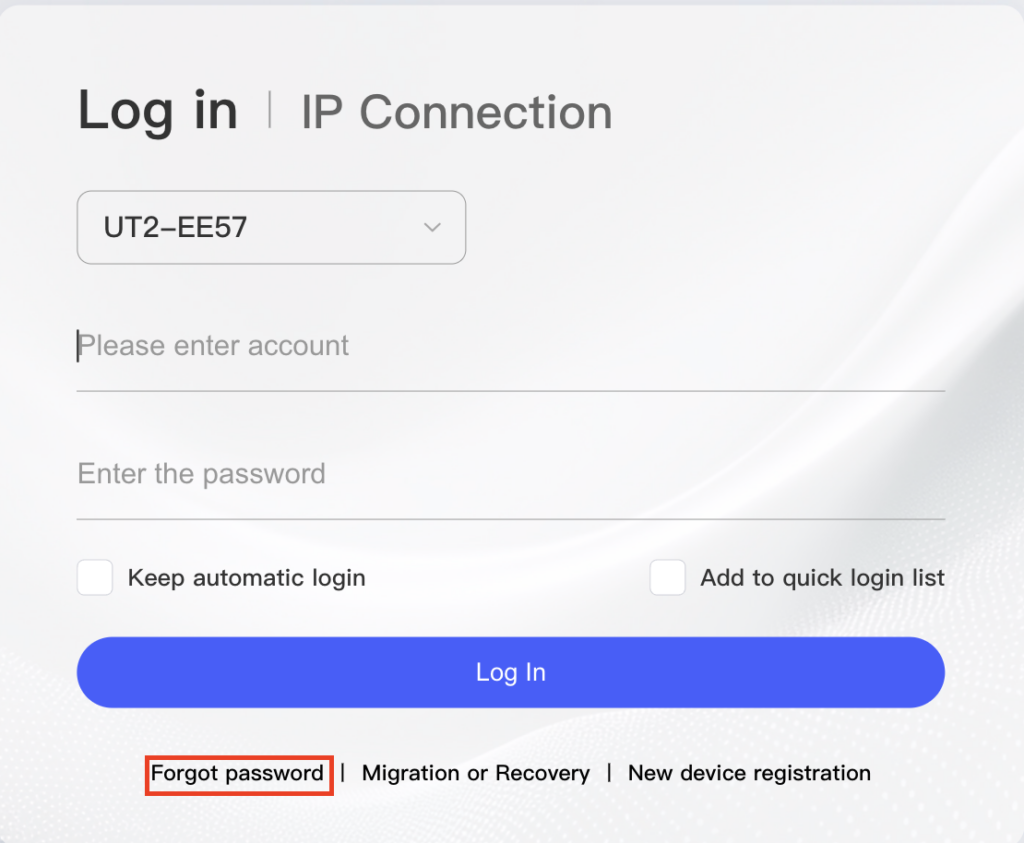
- 3. Input admin account number and create a new password ( The password should included at least three followed elements, capitalized letter, lower case letter, number and symbol ) You will login after the password reset completed. The reset process will only reset the password and your files and data will not be affected.